“You can’t prepare for everything – but you can prepare for anything.” – Paul Youngjohns
Backup-Based Disaster Recovery is a low-cost DR option for databases with higher RTO tolerance.
As Autonomous Data Guard is currently not supported for Autonomous JSON Database workloads, the natural questions is what are the alternatives:

Option 1. The backup-based Disaster Recovery solution is one alternative. Backup-based DR uses database backups to instantiate a peer database at the time of switchover or failover. This enables you to have a lower cost and higher Recovery Time Objective (RTO) disaster recovery option for your Autonomous Database, as compared with Autonomous Data Guard.
Disaster recovery for AJD provides a peer database instance in a different availability domain (or different Exadata if there is only 1 AD in the region) or in a different region around the world. With a peer database, if the primary database becomes unavailable, disaster recovery switches to role of the peer database to primary and begins recreating a new peer database. For backup-based disaster recovery with a cross-region peer, backups are copied to the remote region.

For local backup-based disaster recovery, existing local backups are utilized. You can edit the automatic backup retention period and the long-term backup schedule. Check that the backup state is “Active” and when last automatic backup went through. Your local peer will be in a different Availability Domain (AD) than the primary database in regions with multiple ADs, or a different Exadata machine in regions with only one AD.
There is no additional cost for local Backup-Based Disaster Recovery! And AJD already takes local backups automatically for you, so there is no additional cost to enable a local backup copy.

Backup-Based Disaster Recovery RTO and RPO numbers are:
| Backup-Based Disaster Recovery Configuration | RTO | RPO |
|---|---|---|
| Local backup copy | one (1) hour + 1 hour per 5 TB | 10 seconds |
| Cross-region (remote) backup copy | one (1) hour + 1 hour per 5 TB | 1 min |
When you have a local peer and the switchover is not successful, the Oracle Cloud Infrastructure console shows a banner with information about why the switchover was not successful and the Oracle Cloud Infrastructure console shows a failover link in the Role field that you can click to initiate a failover to the local peer. The failover link only shows when the Primary database is unavailable and a peer is available. That is, the Primary database Lifecycle State field shows Unavailable and the local peer is available.
You may have also one additional backup copy, in another region. Here is one I added to the Swiss region:

I also enabled cross region backup replication from Germany to Switzerland. Check the 2 informational boxes below (cost and replication of backups):

By default, automatic backups are created and maintained at the current Primary database and are not replicated to a cross-region peer. Optionally, you can enable replication of the automatic backups to the cross region peer (as I have done above). A cross-region Backup-Based Disaster Recovery peer can be converted to a snapshot standby. This converts the peer to a read-write database for up to two days.
Note that Backup-Based Disaster Recovery is not available with Always Free Autonomous Database.
Option 2. For having a copy of the Autonomous JSON Database in a different region (and not just in another AD), an option to consider is Refreshable Clones.
When you create a refreshable clone for an Autonomous Database instance the system clones the source database to the refreshable clone. After you create a refreshable clone you can refresh the clone with changes from the source database.
As you can see my refreshable clone is in Switzerland (while the source JSON Database is in Germany):
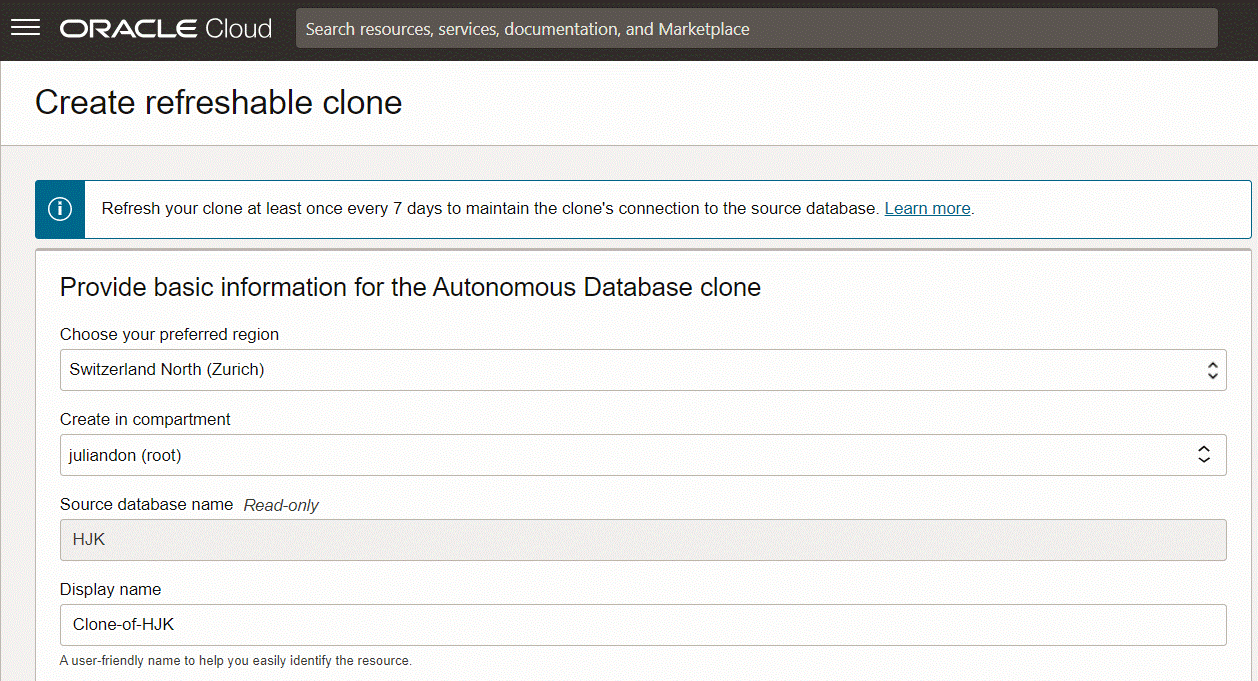
When you disconnect a refreshable clone the refreshable clone is disassociated from the source database. This converts the database from a refreshable clone to a regular database. Following the disconnect operation you are allowed to reconnect the disconnected database to the source database. The reconnect operation is limited to a 24 hour period.
Refreshable clones are billed based on their base ECPU count and any additional ECPU usage if compute auto scaling is enabled; they do not get billed additionally for the ECPUs of the source database. A refreshable clone in a different region than its source database is billed for twice the amount of storage that the source database is billed for.
You can check the main features of refreshable clones but it is most important to know that refreshable clones have a one week refresh age limit. If you do not perform a refresh within a week, then the refreshable clone is no longer refreshable. After a refreshable clone passes the refresh time limit, you can use the instance as a read only database or you can disconnect from the source to make the database a read/write (standard) database.
Note the important limitations on refreshable clones but these are the main ones:
- Always Free Autonomous Databases do not support refreshable clones
- You cannot create a cascading series of refreshable clones
- You cannot backup or restore a refreshable clone
For the Oracle Autonomous JSON Database, note the following when reconnecting to the source database:
- If, after you disconnect the refreshable clone, you promote both the clone and the source to Oracle Autonomous Transaction Processing (workload type Transaction Processing), you can reconnect the database to the source.
- If after you disconnect the refreshable clone, you promote the source database to Oracle Autonomous Transaction Processing (workload type Transaction Processing) and do not promote the disconnected clone, the disconnected clone must also be promoted to Oracle Autonomous Transaction Processing (workload type Transaction Processing) before you perform the reconnect operation.
- If after you disconnect the refreshable clone, you promote the disconnected database to Oracle Autonomous Transaction Processing (workload type Transaction Processing), you can still reconnect to the source but the reconnected database remains in the promoted state.
Option 3. Oracle GoldenGate is another way to replicate your data do another region. You can add a replicat for Autonomous JSON Database. It is even possible to use Oracle GoldenGate to replicate MongoDB to AJD, good for use case of migrating out of MongoDB to Oracle.


 Julian Dontcheff's Database Blog